How to build a photography portfolio website
Building a photography portfolio website is mostly about making a few strong decisions well, not piling on complexity.
$6/month after your 7-day trial. No annual contract.
Use PhotoPort when you need a focused portfolio site
If your site is mainly a place to show your work, collect inquiries, and look credible on your own domain, PhotoPort is built for that narrower job.
Good fit
- You want clean galleries and a professional home for your work.
- You need custom domains, password-protected galleries, pages, and contact forms.
- You want the monthly cost to stay easy to justify.
Not the right fit if
- You need proofing, print sales, booking, invoices, contracts, or CRM.
- You want a broad website builder for a larger business site.
- You prefer paying more for an all-in-one business platform.
Still deciding?
Open the demo first, then start the 7-day trial only if the portfolio-first approach feels right.
The key decisions that shape the site
The most effective portfolio websites are usually built around a simple structure: organize your work clearly, choose a clean presentation, use your own domain if you can, add a way for visitors to contact you, and avoid overbuilding the site before your photography is ready.
Choose how to organize your work
Decide how your galleries should be grouped so visitors understand what you do quickly.
Create a complete but simple structure
Most portfolio sites need galleries, an about page, a contact page, and maybe a few additional supporting pages.
Keep the product fit in mind
A simpler platform is often better if your goal is just to host a clean portfolio without taking on a larger website project.
A new approach to displaying your photos
Most photographers do not need a huge website project. They need a clean home for their work that looks professional and is easy to maintain.
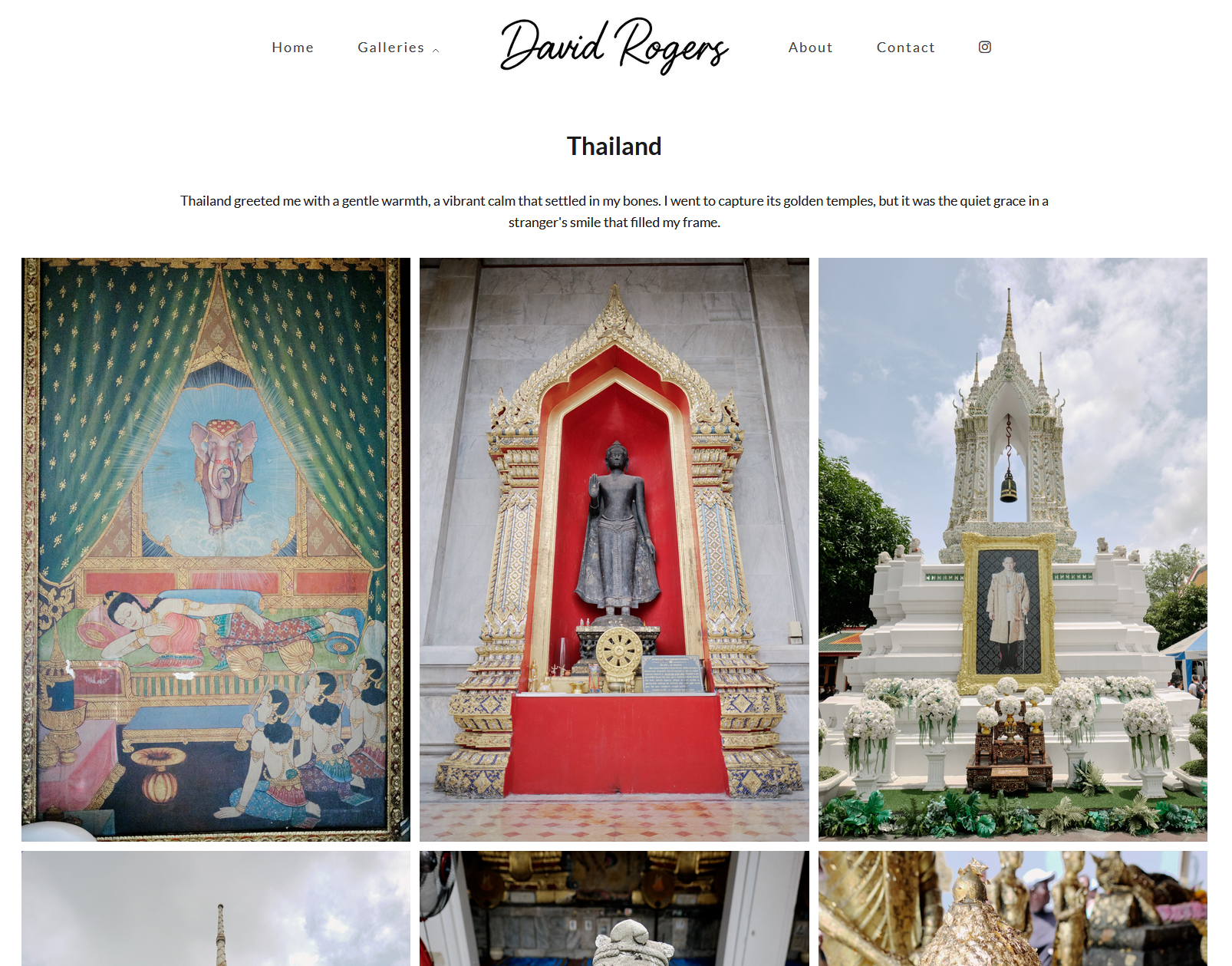
What you will likely need
These are the practical building blocks photographers usually need when putting a portfolio site together.
Gallery layouts
Choose layouts that keep your work front and center on desktop and mobile.
Custom domain support
A branded domain helps your site feel more established and easier to share.
Custom pages
Use supporting pages for your story, rates, specialties, or process if needed.
Contact form
Make it easy for potential clients and collaborators to reach you.
Protected work
Some photographers also need password-protected galleries for selected projects.
Simple upkeep
A portfolio website should be easy to update as your work evolves.
Building a portfolio site should feel manageable.
A lot of photographers delay launching because they think building a website has to become a major project. Usually it does not. The key is choosing a product and structure that keep the process simple enough to finish.
Questions photographers ask while building a portfolio site
These are common questions behind searches about how to build a photography portfolio website.
What should I put on the site first?
Start with your strongest galleries, an about page, and a contact option. Add more only when it helps the site.
Do I need a custom domain right away?
Not always, but it is usually worth adding because it improves professionalism and brand consistency.
How many pages should a portfolio site have?
Usually fewer than people expect. A small, clear structure often works better than a large one.
Explore related topics
These related pages cover examples, cost, and choosing a simpler platform for your portfolio.
What strong photography portfolio websites have in common
Read more >How much does a photography website cost?
Read more >A simple photography website builder
Read more >Ready to build your portfolio?
Start your free 7-day trial. $6/month after the trial ends.